Devices
To access to the list of registered devices go to menu Components > jBackend > Devices. A list of mobile devices will be shown:
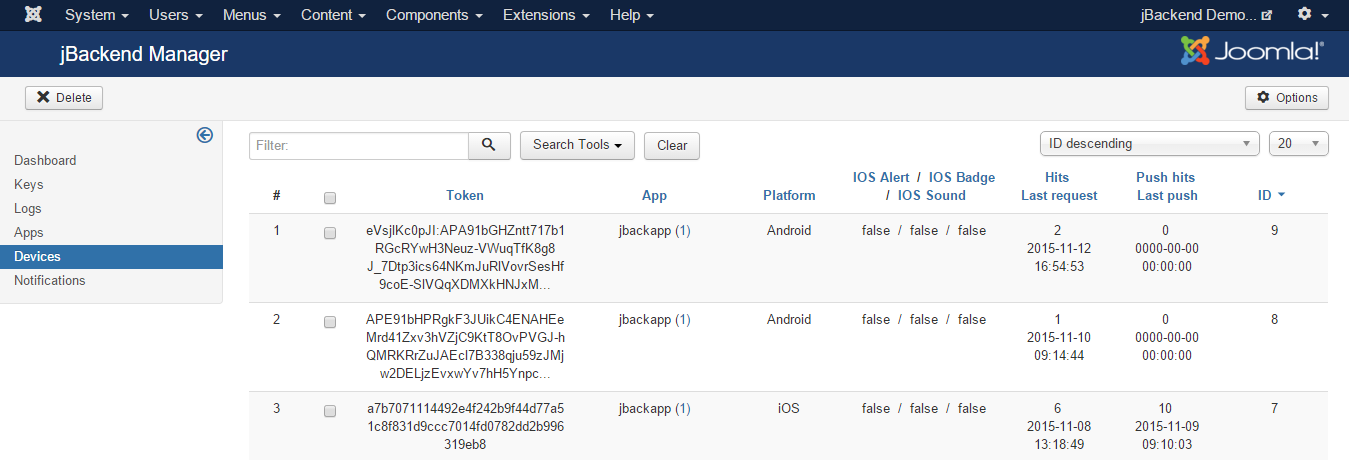
It is not possible to add or edit device manually. Device registration is performed through a request to the Push Module.
Each registered device has the following information:
| Field: | Description: |
|---|---|
| Token | Device Token |
| App | App code |
| Platform | OS platform |
| IOS Alert | App setting desired about alert on iOS (an optional registration param for the app) |
| IOS Badge | App setting desired about badge on iOS (an optional registration param for the app) |
| IOS Sound | App setting desired about sound on iOS (an optional registration param for the app) |
In the current version alert, badge and sound fields are not used yet. They will be used in future, as example, to filter target devices for push notification sending.
For each device the following statistics fields are available:
| Field: | Description: |
|---|---|
| Hits | Number of times the device has registered |
| Last visit | Last time the device has registered |
| Push hits | Number of push notifications sent to device |
| Last push | Last time a push notification has been sent to device |